Setting up Shipping in Apache OFBiz
OFBiz provides different types of shipping methods where we can set the shipping methods according to differents stores.
Founder, Viithiisys

Shipping in Apache OFBiz is configured across several screens rather than one, which is why a shipping method can exist and still never appear at checkout. This guide covers the shipment settings pages in order and what each one controls.
How to set up shipping methods in Apache OFBiz
Shipment Settings can be changed from the below pages:
1). New Shipment Method
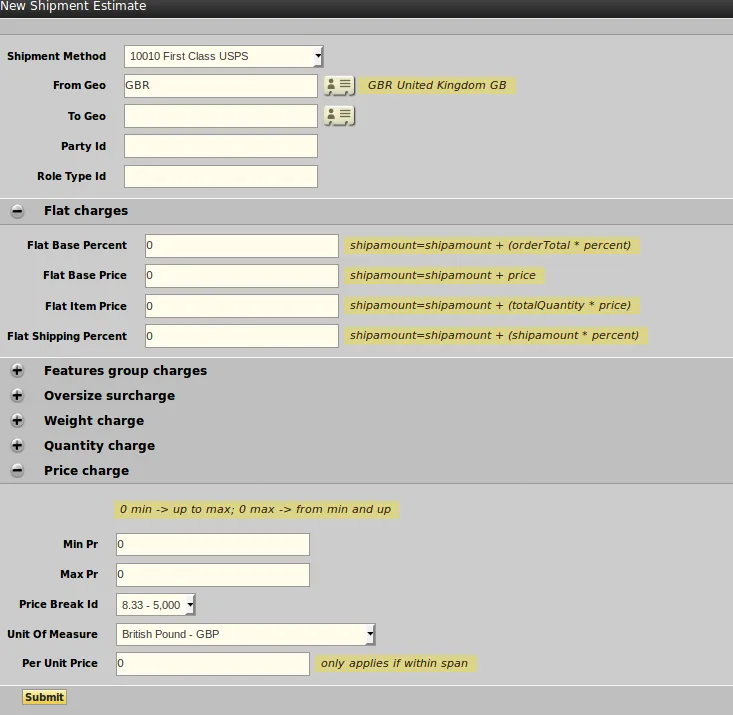
2). New Shipment Estimate
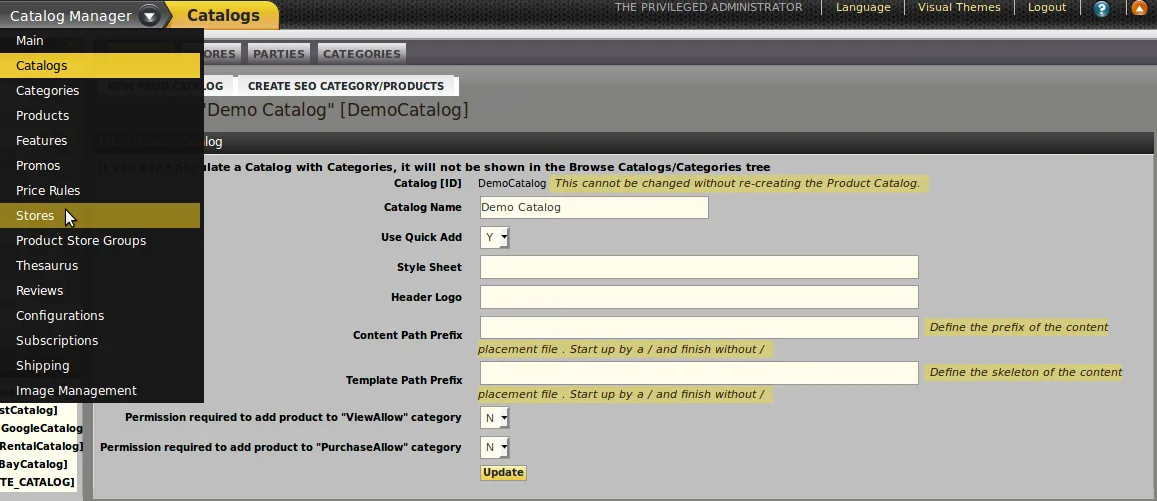
- Firstly Go to Catalog Manager, select store from drop down open and select shipping tab.
Set Shipment method:-
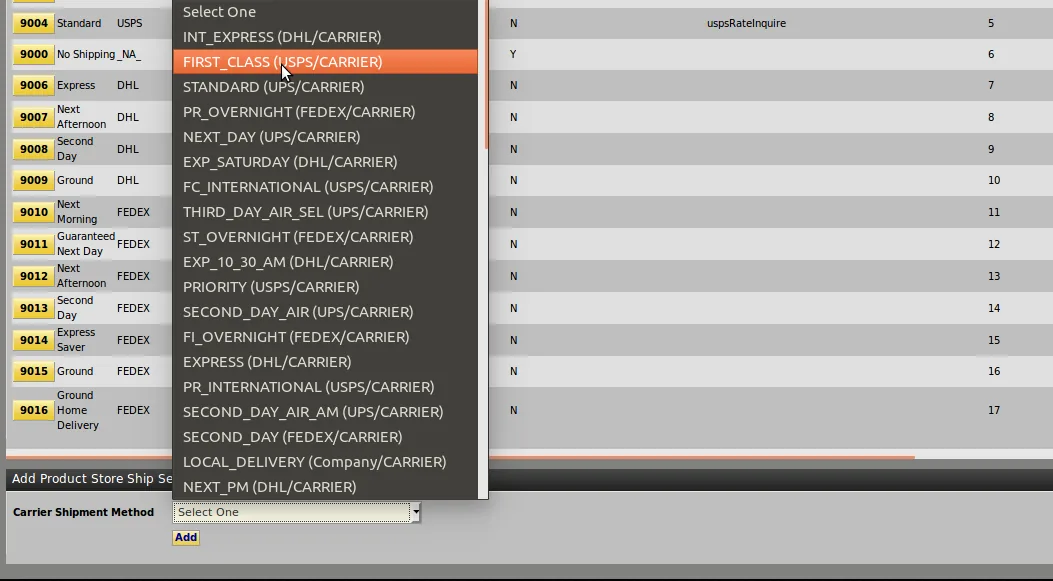
1). Select shipping method from the “Carrier shipment method” drop-down. Click on add button.
2).Enter the Include/Exclude Geo countries, Party Id and all other required fields.
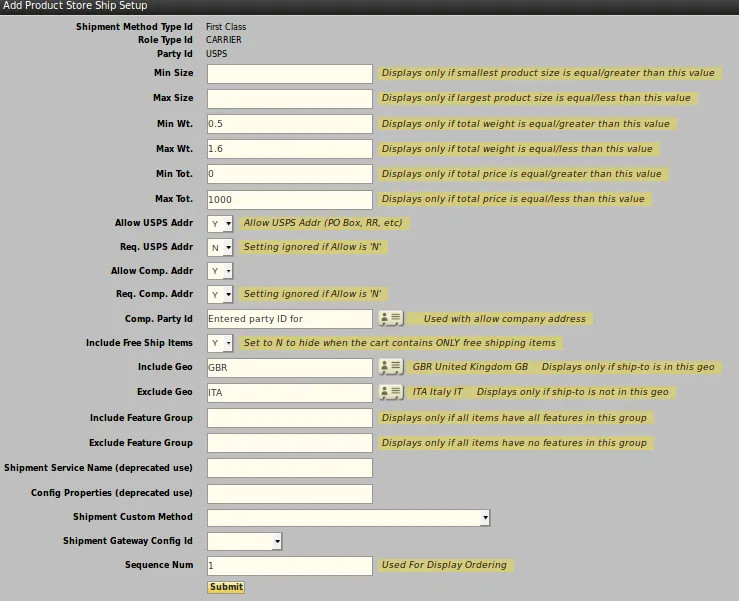
(In this shipping method “geo country” United Kingdom(GBR) can be included and “geo country” italy(ITA) can be excluded).
Set shipping estimates:-
We can add more than one shipping estimate for One shipping method. Firstly open shipping estimate tab then follow the
instructions given below-
1). In shipping estimates set the Flat Base Price of shipping method, Unit of measure and Price break.
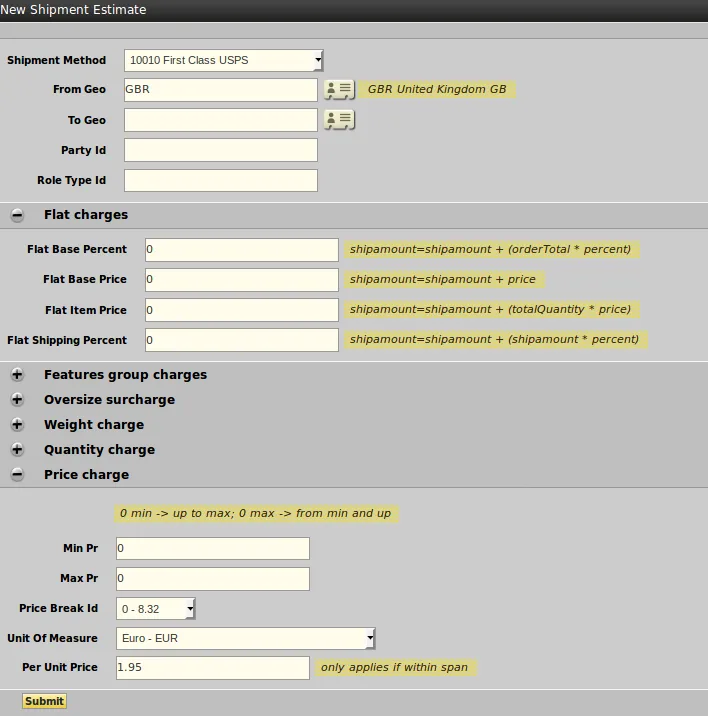
2).Price break id is used to set shipping price between two amounts(for example-set shipping charges between amount 0-8.32 whereas free between 8.33-5000)